



6.15 Harmonizer

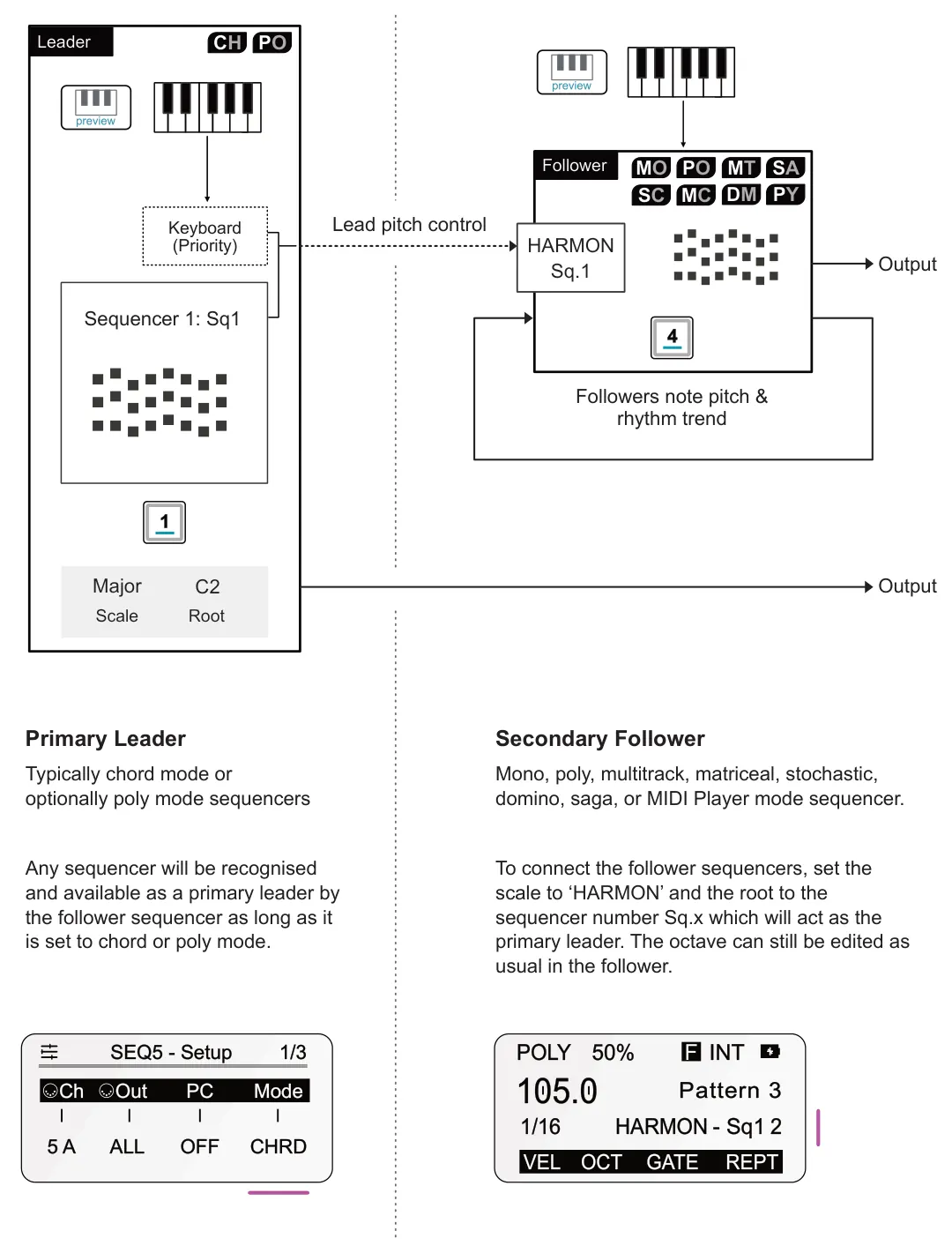
Harmonizer is an extremely powerful and musically creative tool. In simple terms, the harmonizer links sequencers musically by aligning the note pitch across patterns. A selected chord or poly mode sequencer takes the role of primary leader, which manages the note pitch based on its scale, root, and associated patterns. Other mono, poly, multi, matriceal, stochastic, domino or saga sequencers can be set to follow the leader. So the note patterns and rhythmic trends are set by the follower, but the note pitch values are controlled in harmony with the primary lead. The melody brings all of the connected sequencer patterns together harmonically.
Example: Harmonizer core principles
POLY 105.0
The harmonizer is based on each sequencer configuration and is not a standalone tool with dedicated pages and parameters. All settings are found in the existing sequencer main pages. The transport must be playing to affect the harmonization of the followers from the leader sequencers.
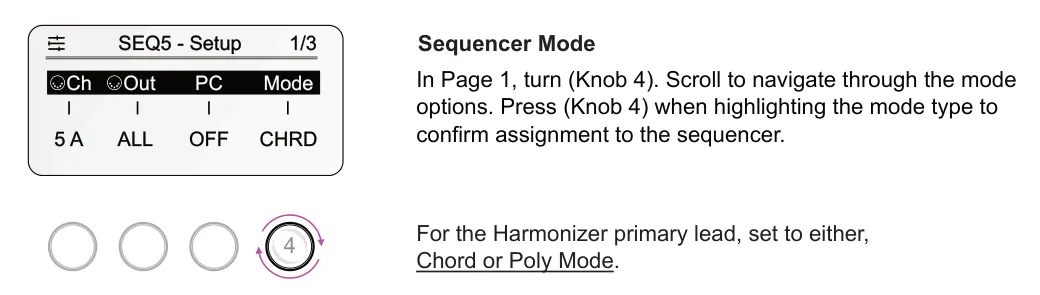
Sequencer - Primary Leader
Sequencer Settings

Hold [Shift] + tap [1] - [8]. The settings menu will open which consists of multiple pages. Select page 1/3.
Sequencer - Secondary Follower
Sequencer Settings

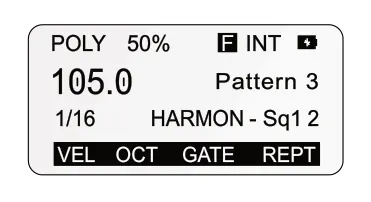
Tap [1] - [8] to select a sequencer to act as the follower. This must be set to mono, poly, multitrack or stochastic using the method explained above.
POLY 105.0
Scale & Root
The scale option will select an harmonizer configuration when setting it to ‘HARMON’. The root will link to the primary sequencer labeled as Sq1, Sq2 etc
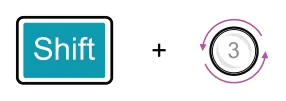
Set the scale to harmonizer. Hold [Shift] + turn (Scale), knob 3 counter clockwise until ‘HARMON’ is selected.

Set the root to the chord or poly sequencer primary leader. Hold [Shift] + turn (Root), knob 4 to select sequencer by number, Sq1, Sq3 etc.

The octave can still be changed as normal in the main sequencer page. Turn (Oct), knob 2.
Any changes to the lead sequencer will affect the follower when the harmonizer configuration is set. This includes pitch orientated changes such as scale, root, transposition, modulation, randomization etc.
Keyboard Control
Either the leader or follower sequencer can be controlled by the sequencer or grid pad keyboards. An external MIDI keyboard can also be used.
Leader Sequencer & Keyboard
Chord and poly mode have built in keyboards which allows the playback and performance to be controlled. The keyboard takes precedence over a running sequencer. However it also may be possible to disable the leader sequencer if just using the keyboard to ensure the last notes played are retained. Muting a sequencer will also disable it from the harmonizer of the follower while the sequencers are running.
Follower Sequencer & Keyboard
The follower sequencer keyboard view will layout the grid piano style. When the harmonizer is in action, the keyboard will display the harmonized notes on the grid with green lit columns in real-time. The keyboard can be played to compliment the harmonized patterns on the follower sequencer.
Select keyboard view for the leader or follower. Preview can be set to operate as normal.
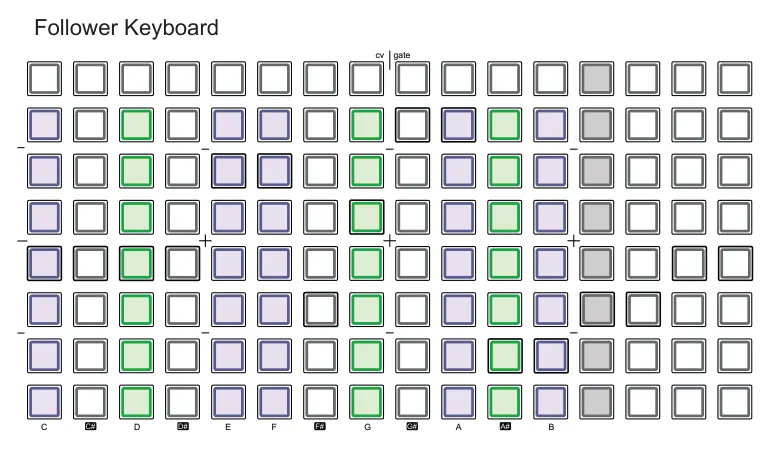
Green pads signify, in real-time while playing, the application of the harmonizer pitch affects for the notes.
Harmonizer Octave Range
The octave can still be set in the main screen when the harmonizer is set. However there are some considerations that should be noted when using the harmonizer reflected in the note range.
- Steps set in the lower octaves of the follower may not be affected by an harmonised note. This is due to the octave range limitations. Harmonizer references chord degrees from root C2. So, for example, if a C2 and C3 are notes in the follower, then lower notes will generate an output based on the chord in the leader sequence which may result in higher note outputs.
- There are two settings in the config > performance options that support the Harmonizer octave / note management. These affect how the octave range is applied to the follower :-
- Harmonized seq octave max. Sets the maximum octave step that the follower sequencer can make when controlled by the lead Harmonizer sequencer. Default is 1, options 0, 1, 2.
- Harmonized seq stays in base octave. If set to Yes the leader octave offsets are ignored by the follower and keeps the octaves within the base range, harmonically close to the root.