



2.17 MIDI Learn
The option to automatically register a knob to an incoming MIDI message is possible with the MIDI learn feature. This is found in each of the parameter destination options. E16 will learn the MIDI channel and the incoming MIDI message, when the external control is changed. For example, turning a control change parameter on channel 4 will register the CC number and channel to the control knob 'listening' for the message.
Example: MIDI Input

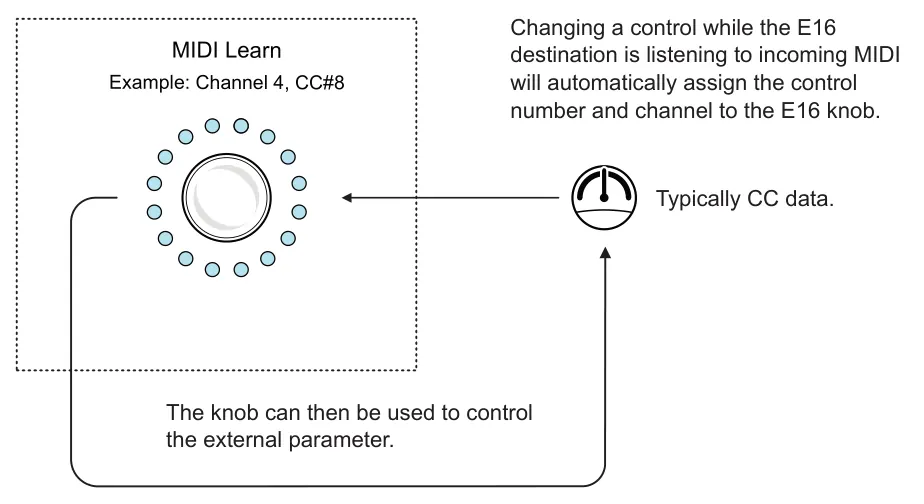
Setting a knob to MIDI Learn
- Connect the externally controlling device to a MIDI input on the E16, for example
from PC/Mac to the E16. Ensure the general MIDI settings are correct on the external device in order to send MIDI messages.
- On the E16 control view, Hold (Knob) + Tap [Shift] to open its settings.
- Navigate to the destination 1 or 2 settings by turning the (Knob). Press (Knob) to
open the destination options.
- Navigate to the 'Learn' option by turning the (Knob).
- Press (Knob) to start listening for incoming MIDI.
- Send a MIDI message to capture for the destination. For example, turn the external
parameter control. The E16 will automatically learn the channel number and MIDI message and assign it to the destination settings.
- Once learnt, the E16 will send MIDI out on the chosen controller to this external
control when turning the knob.