



Welcome
Thank you for purchasing OXI Meta.
This manual will explain the subtle details behind the module because for everything else, it’s the easiest module to use ever!
–– OXI team
Introduction
META is a transition FX scenes module tailored for the live performers and studio users.
It’s a high quality, stereo effect module with 6 powerful dual effect scenes on a small package.
And it’s perfect for transitions because each effect was tailored with simple hands on control but powerful scenic effects for drops, mixes from one track to another, and of course even as a simple fx unit to spice up your sounds.
And it couldn’t be easier to use, just select one of the six scenes, turn the big knob in the amount and side of your preferred flavor, and when ready just press off to release that tension.
It features CV to modulate the amount of FX and Control of said FX.
In no time you’ll be making amazing, effortless transitions that sound amazing, allowing you to have even more fun while keeping control of your performance.
Specifications
Dimensions
6 Hp
22 mm deep
Panel
Black anodized aluminum with color silkprint.
Consumption
+12V - 110 mA
-12V - 20 mA
+5V - 0 mA
Outputs
2x Mono DC coupled outputs (±5 V)
2x Mono AC coupled inputs (±5 V)
Inputs
2x CV inputs ±5 V (±10V max).
1x Clock input
Interface
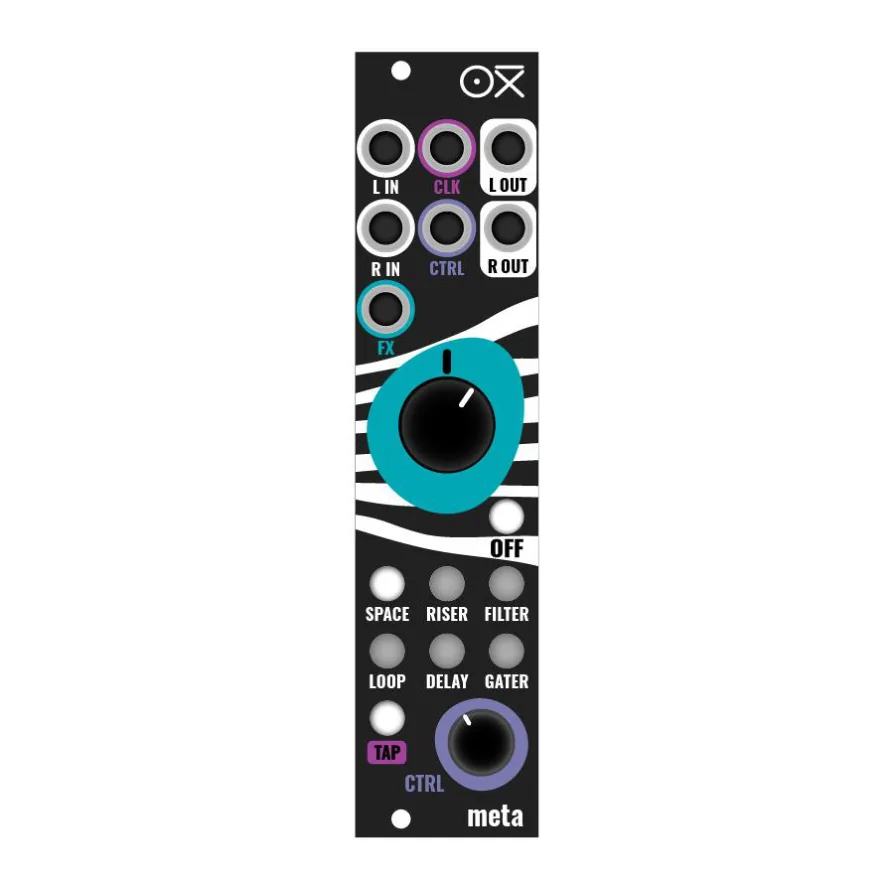
Big Knob for performance:
- Wet Amount and macro control. FX Selection depending on the knob position.
FX Control knob:
- Effect parameters control.
Scene Buttons:
- Independent button selector of FX Scene.
- OFF Button to deactivate the FX Scene at any given time.
Stereo Audio:
- Stereo Input and Output.
CV Inputs:
- CV inputs affect FX Amount and Control.
- Clock Input required to sync the Delay, Looper and Gater effects. It expects a 1 pulse per beat clock resolution (TAP tempo button will blink accordingly).
Tap tempo Button
- Blinks according to the internal or external tempo.